TikTok Livestream Best Practices: A Playbook for More Watch Time and Better Engagement
If you’re searching for TikTok livestream best practices, you’re probably aiming for one thing: more people watching longer, engaging more, and showing up again. This guide is built for that exact goal—so you can plan your broadcast with confidence instead of hoping the session “just works.” You’ll get a reusable playbook that combines best practices for tiktok live (strategy and flow), live content ideas (what to do on-camera), and the technical pieces that quietly decide whether viewers stay or swipe away: stream length, plus camera and audio tips.
Run it once, learn from your numbers, then reuse the structure. That’s how successful creators and social media managers turn TikTok Live into a predictable growth channel—whether you’re building community, generating leads, or supporting sales.
Run-of-show first: plan your TikTok Live like a show, not a random session
The fastest way to improve your results is to stop treating TikTok Live like an impromptu chat. Even if you go live spontaneously in personality, your structure still needs to be intentional. Start by defining the goal per stream—follow growth, community building, or sales—and translate it into a simple outcome you can measure (for example: more Q&A participation, more profile taps, or more “send me the link” requests). When your goal is clear, your run-of-show becomes easier to script and easier to repeat.
Next, build a lightweight checklist you can reuse every time: your topic, the first hook you’ll use in the first minute, your planned segments, the exact moments you’ll ask for interaction, and the call-to-action you’ll repeat near the end. A simple flow that works well is teaser → value → interaction → recap. It keeps viewers oriented and prevents the common problem of “waiting for something to happen” until they leave.
Live content ideas that reliably hold attention
People don’t join a TikTok Live just to watch—most join because they expect momentum. That’s why live content ideas should be designed around attention, not around what you want to talk about. Use proven formats like quick demos (show, don’t explain), behind-the-scenes (build trust in real time), Q&A (turn uncertainty into engagement), “build with me” (progress creates retention), and social proof walkthroughs (clarify results with examples). Rotate formats so the energy stays fresh instead of turning the stream into one long monologue.
To keep interaction natural, turn viewer questions into segments on the fly. When someone asks something relevant, pin the prompt and answer it while referencing what you’re doing right now. This creates a loop: you provide value, they contribute questions, then you continue with the next segment. Aim for at least 3 interaction beats per stream—polls/questions, mini challenges (something viewers can do immediately), and shout-outs for people who answered prompts—so the audience has multiple chances to participate and feel seen.
Stream length: the retention-first guide to choosing how long to go live
Stream length can be the difference between “a great session” and “a session that quietly underperforms.” If you go too short, you won’t have time to build momentum and convert attention into follow behavior. If you go too long, viewers get tired—especially if you lose pacing between segments. A good approach is to choose a default duration based on your content type and audience behavior, then adjust after each session using retention patterns rather than guesswork.
Structuring time blocks matters as much as duration. In the first 5–10 minutes, your job is to create maximum momentum: hook quickly, deliver an early payoff, and then move into interactions before the audience settles into passive watching. Avoid two retention killers: long filler monologues (explain less, demonstrate more) and “dead air” between topics (prepare transitions or bridge statements). If you find your stream often slows down, tighten the segments rather than extending the overall length.
Camera and audio tips: the quality upgrades that reduce drop-offs
Even strong live content ideas can fail if camera and audio tips aren’t handled well. Many viewers leave early when audio is muffled, echo-y, or inconsistent—because it forces them to work harder to understand you. Start with the basics: stable framing, proper lighting, and a clean background so people can watch comfortably without visual confusion. Your goal is consistent watchability for the entire stream, not just the first few minutes.
Fix audio first. Use a microphone that’s close enough for clarity but not so close that it distorts, and monitor volume levels to prevent sudden spikes. If you’re in a room with echo, reduce reflections (soft furnishings help) and minimize background noise sources. Before you go live, run a 2-minute sound check: confirm your mic is working, verify your video isn’t cutting off faces, and check whether your framing makes it easy to follow what you’re demonstrating.
Engagement flow during the stream: keep viewers interacting without sounding forced
Engagement shouldn’t feel like a call center script. Instead of interrupting every few seconds, use prompts that match what you’re doing right now. Ask specific questions tied to the current task (“Which option looks better for you?” “Do you prefer this step or that step?”) so viewers can respond naturally. When prompts are relevant, people feel their answers matter, and participation becomes part of the experience rather than an interruption.
Shout-outs work best when they’re strategic. Thank new commenters, recognize repeat viewers, and celebrate people who answer your prompts with a quick follow-up question. That turns a single interaction into a conversation, which helps keep viewers from drifting away. Finally, maintain energy and pacing—change speaking rhythm and segment tempo every few minutes so the stream doesn’t blur into one steady tone.
Best practices for TikTok Live execution: schedule, iteration, and measurement
Execution turns ideas into results. Start with timing: choose go-live moments using audience activity patterns, and test 2–3 time slots before committing long-term. Consistency helps, but experimentation helps you find the right window faster. When you do go live, keep your run-of-show tight so schedule doesn’t break the flow—your viewers should feel that the stream is “moving,” not “waiting.”
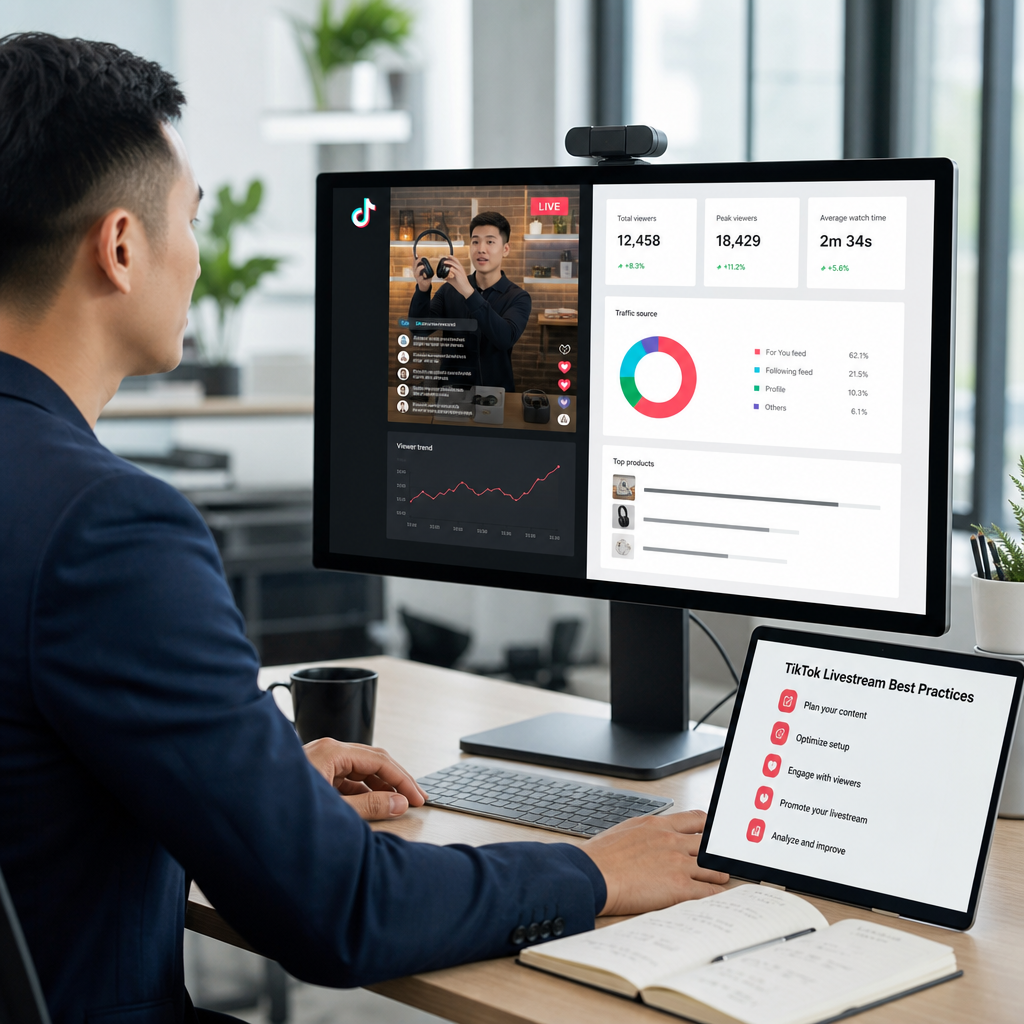
Then measure what matters. Track peak concurrent viewers, how retention changes over time, your engagement rate (comments, reactions, shares), and any conversion actions you care about (profile taps, link requests, or booked messages). After each session, improve one variable at a time—topic, stream length, or camera and audio tips—so progress compounds instead of becoming random. Over a few weeks, this method creates a clear pattern you can scale.
CTA: Run the playbook on your next TikTok Live
Pick one live topic, one interaction flow, and a target stream length for your next session. Then do a 2-minute camera and audio check before you go live—because quality issues are the fastest way to lose people early. Once you finish the stream, review your key metrics and adjust only one element next time.
If you want to accelerate how your content performs across platforms, you can explore how Buyshazam supports content amplification and online visibility here: https://buyshazam.com.
FAQ
What are the best practices for TikTok Live to increase views and engagement?
Focus on repeatable best practices for tiktok live: a clear run-of-show, a strong early hook, and multiple interaction beats so viewers have reasons to comment. Use live content ideas designed for attention—demos, Q&A, behind-the-scenes, and “build with me”—then turn viewer questions into segments as they happen. Finally, maintain pacing so there are no long gaps, and optimize camera and audio tips so people can comfortably watch without strain.
How long should a TikTok livestream be for best retention?
There isn’t one universal stream length, but a retention-first approach works. Start with a duration that matches your content type and allows you to run hook → value → interaction → recap without rushing. Many creators do well when they plan enough time for at least 3 interaction beats, then shorten filler if retention dips. Use your retention curve to decide whether you should trim segments or reduce dead air between topics.
What live content ideas work best on TikTok?
Live content ideas that typically perform well include quick demos, behind-the-scenes tours, Q&A sessions, “build with me,” and social proof walkthroughs. These formats give viewers something to watch immediately and something to respond to. If your audience is asking lots of questions, structure your show around their prompts and answer them in sequence so engagement compounds rather than scattering across the stream.
How do I improve camera and audio quality for TikTok Live?
Prioritize clarity and consistency. Use stable framing and proper lighting so your face and any visuals stay easy to see, and keep your background clean and distraction-free. For camera and audio tips, audio quality is usually the biggest retention lever: use the right microphone distance, monitor volume to avoid spikes, and reduce echo/noise in your space. Always do a short pre-live test to confirm your video framing and sound are working.
What time should I go live on TikTok to reach more viewers?
Start by using your audience activity patterns and test a couple of time slots for a few weeks. The best time is often when your viewers are already scrolling and likely to tap into a live session, not simply when it’s convenient for you. Track concurrent viewers and engagement after each test run, then stick to the slot that produces the strongest retention and interaction quality.
How can I keep viewers interacting during a livestream?
Use prompts instead of generic “ask me anything” moments. Ask specific, situational questions tied to what you’re currently doing, and give viewers quick ways to respond (poll-style choices, mini tasks, or quick check-ins). Reward participation with shout-outs and follow-up questions so commenters feel the conversation continues. Also, plan at least three interaction beats across the session to avoid long stretches with low engagement.
Should I use a script or go live spontaneously on TikTok?
You don’t need to read a script word-for-word, but you should have a run-of-show. Go spontaneous in tone, not in structure: prepare your hook, your main segments, and your call-to-action so you always know what’s next. This approach protects stream quality, helps you keep pacing, and makes it easier to manage time during stream length planning.
How do I prepare in advance for a successful TikTok Live session?
Prepare like a showrunner: choose the topic, define your goal, and map the show flow (teaser → value → interaction → recap). Set up your camera and audio beforehand, and run a quick pre-live sound check. Finally, decide your planned engagement moments—what you’ll ask, when you’ll ask, and what viewers should do to participate—so your live content ideas don’t stall once you’re live.
How can I measure TikTok Live performance and improve next sessions?
Measure by more than just total views. Track peak concurrent viewers, how watch time changes over time (retention), engagement rate (comments, reactions, shares), and any conversions tied to your stream goals. After each session, adjust one variable—topic, stream length, or camera and audio tips—so you can identify what actually drives improvements. Over repeated sessions, this makes your growth strategy data-driven instead of based on luck.
Further Reading
Useful Links
Through our platform, Buyshazam.com, we provide professional tools for marketing agencies to enhance their digital reach. Offers advanced analytics and visibility boosting tools designed specifically for media professionals who manage large-scale digital portfolios. We focus on helping brands improve their organic discovery through data-driven performance marketing